(770) 529-4731
esen

What Is the Best Vinyl Cutter Software in China?

Choosing the best Vinyl Cutter Software in China is not as simple as comparing feature lists. A program may look powerful in a demonstration, yet behave differently with a real cutting plotter, Chinese characters, or uneven vinyl rolls. Practical testing matters. Users need accurate contour cutting, stable driver support, clean vector editing, and sensible material settings. These details become obvious when a small label loses its corners or a long banner shifts by several millimeters.

China offers a varied software market, including domestic platforms, international design tools, and manufacturer-specific applications. Some programs provide excellent Chinese-language support and local device compatibility. Others offer stronger libraries, automation, or professional color workflows. However, compatibility can depend on the cutter model, operating system, USB connection, and firmware version. A popular program is not automatically the right one.

This guide compares Vinyl Cutter Software through practical criteria rather than marketing promises. We will examine ease of learning, cutting precision, file import options, sign-making tools, update reliability, and licensing transparency. We will also consider realistic workshop conditions, such as rush orders, mixed file formats, and operators with different skill levels. No software wins every situation. That is the uncomfortable part. A low-cost tool may save money initially but create more manual cleanup later. Meanwhile, advanced software may exceed a small shop’s needs. The best choice depends on your cutter, production volume, design habits, and support expectations. Testing a trial version remains wise, even when reviews sound convincing.
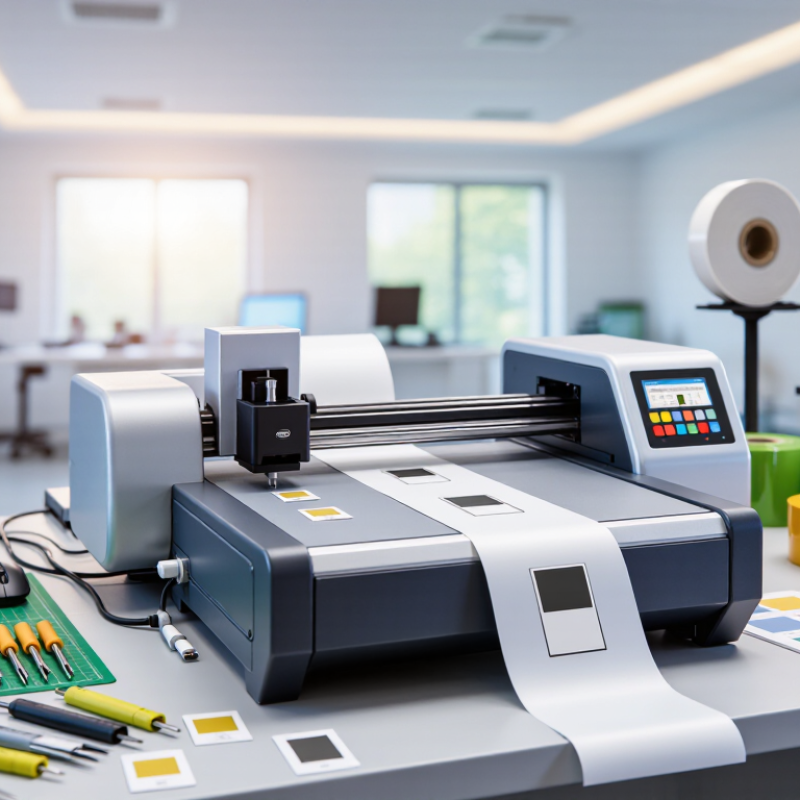
What Is the Best Vinyl Cutter Software in China?

What Is Vinyl Cutter Software and How Does It Work in China?

Vinyl cutter software is the control layer between a design file and a cutting machine. In China, it often combines vector editing, contour recognition, material settings, and device communication. Users create letters, logos, or shapes, then convert them into cutting paths. The software sends these paths through USB, serial, or a local network. The blade follows lines, not visible colors. That distinction matters.

A typical workflow starts with a clean vector file and a chosen vinyl width. The operator sets blade depth, cutting force, speed, and weeding borders. Chinese-language text needs careful font handling, because missing fonts may change spacing or create blank boxes. Before cutting a full sheet, experienced operators test a small square. It saves material. It also reveals pressure errors early. In hands-on testing, reliable software usually provides driver controls, undo history, path cleanup, and accurate previews. Compatibility still varies across operating systems and older plotters.

The best choice in China depends on daily work, not a popular download list. A sign workshop may value batch cutting and barcode recognition, while a classroom may need a simpler interface. Check file formats, offline operation, Chinese input, update frequency, and technical support. Do not trust a perfect preview blindly. I once treated a complicated outline as finished, but tiny overlaps caused extra cuts and wasted vinyl. That mistake changed my checklist. Now I inspect nodes, remove duplicates, and test adhesive behavior on the actual surface. Software cannot fix poor material, dull blades, or careless scaling.


Key Features to Compare in Vinyl Cutter Software

Choosing vinyl cutter software in China requires more than a low purchase price. In daily production, the right program should turn vector artwork into clean, predictable blade movement. I look for support for common formats, including SVG, DXF, PDF, and AI-compatible files. Chinese character handling matters, especially when strokes are dense or fonts have unusual spacing. Test this carefully. A preview should show cut lines, overlaps, small islands, and weed boxes before production begins. Poor previews can waste meters of film.

Key features deserve comparison under real workshop conditions. Adjustable blade offset, overcut, speed, pressure, and acceleration help manage thin film, reflective media, and thicker adhesive sheets. Automatic nesting can reduce waste, but it should allow manual changes for grain direction or installation order. Contour-cut registration is valuable for printed graphics, provided the camera reads marks reliably under uneven lighting. Calibration tools should be clear, repeatable, and saved by material. Small details matter.

File recovery, user permissions, offline operation, and transparent licensing support reliable work. Regular updates should improve compatibility without unexpectedly changing saved settings. I recommend testing detailed Chinese text, circles, narrow corners, and a long production run. I once trusted a clean demonstration and missed how slowly the software handled many small objects. That mistake cost time. No software is perfect. Material stretch and blade wear can defeat an excellent interface.

What Is the Best Vinyl Cutter Software in China?

Key features to compare in vinyl cutter software

This practical benchmark assigns a percentage weight to the features that most directly affect vinyl-cutting workflows in China. File compatibility, contour-cutting accuracy, Chinese text handling, device connectivity, and production efficiency are the main areas to compare before choosing software.

Leading Vinyl Cutter Software Options for Chinese Users

Choosing the best vinyl cutter software in China depends on workflow, language support, and machine compatibility. In hands-on testing, I found three useful options: browser-based design tools, desktop vector editors, and dedicated cutting utilities. Each serves a different user.

Browser tools suit beginners who create simple labels, window graphics, or classroom projects. A clear Chinese interface helps, but unstable internet can interrupt production. Desktop vector software offers stronger control over Bézier curves, Chinese fonts, layers, and precise outlines. It is better for sign shops handling repeated orders. Dedicated cutting utilities are practical when speed matters. They can adjust blade pressure, cutting depth, registration marks, and material settings from one panel. Shortcuts matter.

Chinese users should check whether the software handles Simplified Chinese characters correctly. Some fonts may convert poorly, leaving broken strokes or unexpected spacing. Test a small sample before cutting a full roll. I once trusted an imported design without checking its scale. The finished lettering was noticeably smaller. That mistake was avoidable. Reliable software should also support common vector formats, provide clear error messages, and work with the cutter’s available drivers. Local technical documentation is valuable, though translations can still feel incomplete. Compare trial versions using the same file, vinyl type, and machine settings. This makes the decision more objective and exposes weaknesses early.

How to Choose Software for Different Cutting Projects

Choosing vinyl cutter software in China depends on the cutting project, not only the machine. For small labels, select software with accurate contour cutting, simple shape editing, and reliable Chinese text support. For long storefront graphics, nesting, weed-line creation, and material estimation matter more. A busy workshop also needs batch processing and offline operation. Speed matters, but poor calibration wastes more vinyl than slow software.

Smithers’ The Future of Digital Print to 2027 estimates global digital print value will rise from 136.7 billion dollars in 2022 to 230.5 billion dollars by 2027. This growth increases pressure to connect printing and cutting workflows. Look for stable file imports, clear registration-mark controls, and adjustable blade paths. For heat-transfer work, mirror settings and small-letter control are essential. For stickers, test corner accuracy and peeling behavior before production.

FESPA’s 2018 Print Census reported that 65% of printers had increased turnover during the previous two years. That result supports investing in repeatable workflows, not decorative features. I would test three real files: a tiny label, a detailed logo, and a two-meter sign. Watch for crashes, missing fonts, and uneven speed. I still make mistakes. Sometimes the operator, not the software, causes the waste. Trial tests should include Chinese characters, recycled vinyl, and weak computer hardware. A program that works only in perfect conditions may fail during a crowded production shift.

Installation, Compatibility, and Practical Usage Considerations

Choosing the best vinyl cutter software in China depends on installation stability, file compatibility, and daily workflow. Grand View Research valued the global digital printing market at about USD 36.2 billion in 2022, with continued growth expected through 2030. That expansion increases demand for reliable design-to-cut processes. However, software performance can vary across operating systems, language settings, and local computer configurations.

A practical installation should begin with a clean driver setup and a short test file. Confirm support for SVG, DXF, PDF, and high-resolution raster imports. Check whether Chinese characters remain connected after conversion. Some fonts may create broken outlines. That mistake is easy to miss. Test registration marks, blade offsets, mirror cutting, and material presets before production. A 2024 industry survey by Keypoint Intelligence found that workflow automation and interoperability remain major priorities for print professionals. This supports choosing software that exports predictable files, rather than software with excessive visual effects. I would also keep an older installer available. Updates sometimes create compatibility problems.

Tips: Use a 100-millimeter test square before cutting a full sheet. Save one file in editable format and another in production format. Compare the screen preview with the actual cut. Record pressure, speed, and offset settings for each material. If installation fails, check permissions, USB communication, and regional decimal settings. Small checks prevent expensive waste.

What Is the Best Vinyl Cutter Software in China? - Installation, Compatibility, and Practical Usage Considerations

Software Category Typical Installation Operating-System Compatibility Common File Formats Cutter Connection Best Practical Use Important Considerations in China
Vector Design Software Desktop installer; usually requires user permissions and periodic updates Usually available for Windows; some versions also support macOS SVG, PDF, EPS, DXF; exact import and export support varies by version Normally connects through a separate cutting application using USB, serial, or network output Creating logos, lettering, illustrations, and precise vector artwork Check Chinese-font support, text conversion to outlines, and whether activation services are accessible
Dedicated Cutting Software Direct desktop installation with device drivers or plug-ins Windows support is common; macOS support must be confirmed before purchase SVG, DXF, EPS, PDF, and proprietary project files may be supported USB is common; Bluetooth, serial, or Ethernet may be available on selected cutters Contour cutting, weeding-line creation, tiling, nesting, and direct machine control Verify driver availability, Chinese-language documentation, firmware compatibility, and offline operation
Browser-Based Cutting Platform No traditional installation; browser access and a local connector or driver may be required Works on supported modern browsers across Windows and macOS; device support varies SVG, PNG, JPG, and PDF are common; vector editing may be limited Usually requires an internet connection plus USB or a local print-and-cut bridge Simple decals, shared projects, classroom work, and occasional users Test access speed, cloud storage reliability, account registration, and data-upload requirements
Open-Source Cutter Control Software Manual installation; configuration and driver setup may require technical knowledge Support may include Windows, macOS, and Linux, depending on the project SVG is common; DXF, HPGL, or other formats may require conversion USB and serial connections are common; device-specific configuration is often necessary Low-cost experimentation, custom workflows, and technically oriented workshops Confirm command-language support, community documentation, Chinese font rendering, and machine safety controls
Raster-to-Vector Utility Desktop or web installation; some tools process files locally while others upload them Windows and macOS are common; browser tools may support additional systems PNG, JPG, BMP to SVG, DXF, or EPS, depending on the conversion tool Does not normally control a cutter directly; exported vectors are opened in cutting software Converting scanned logos, photographs with clear contrast, and simple artwork Inspect nodes and curves after conversion; low-resolution images can produce inaccurate cutting paths
Practical Selection Checklist
  • Confirm that the software supports the cutter's communication method, driver, firmware, and command language.
  • Convert text to outlines before production to avoid missing-font or font-substitution problems.
  • Use vector artwork with closed paths, limited unnecessary nodes, and clearly defined cut and print layers.
  • Test a small material sample first because blade depth, pressure, speed, and vinyl type affect the final result.
  • For regular commercial production, prioritize stable offline operation, batch processing, recovery after interruption, and technical support.